iPhone · iPad · Mac
Your apps work everywhere.
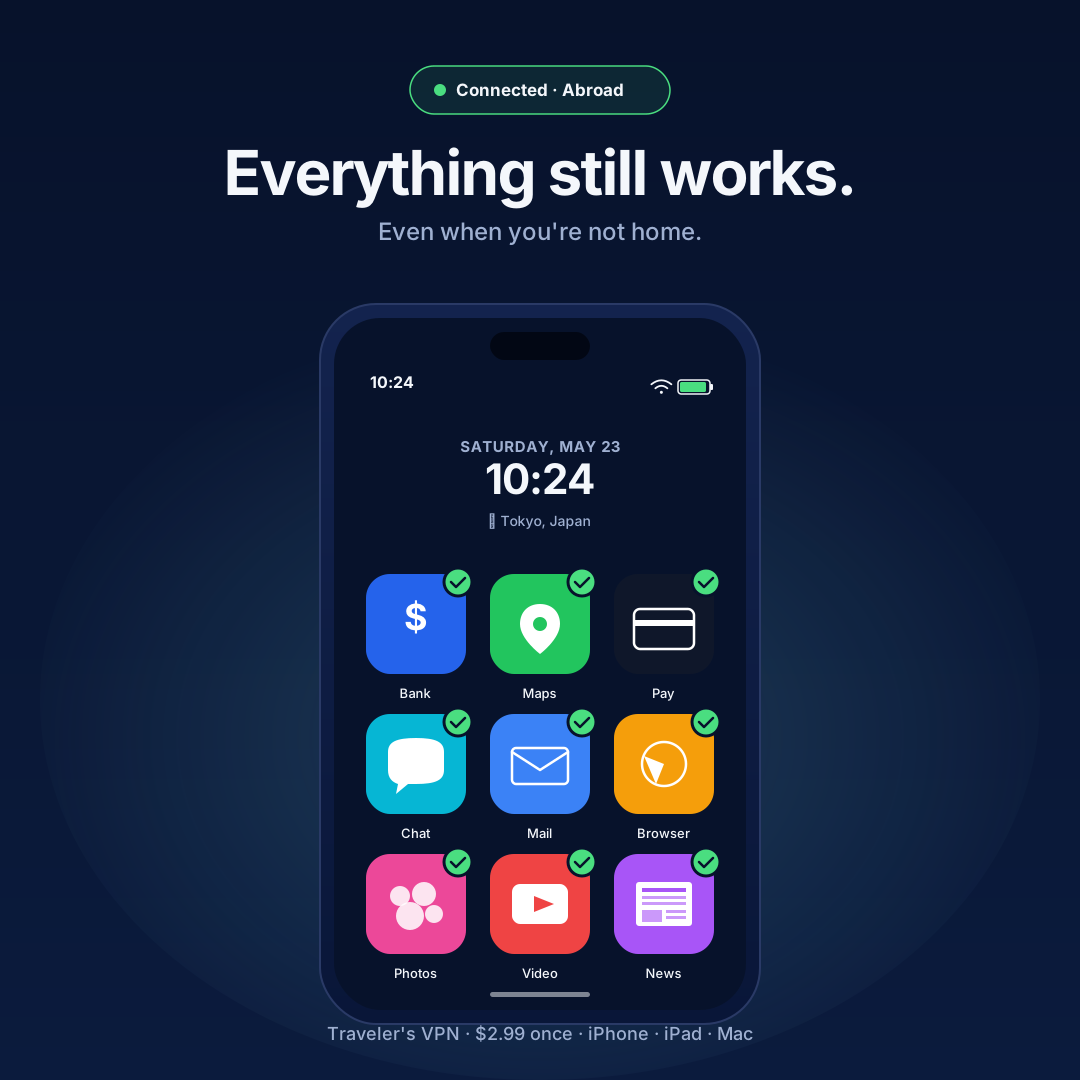
Land anywhere. Instagram, WhatsApp, and YouTube come with you. Local maps, payments, and taxis stay fast. All at once, and faster than a normal VPN.
Land anywhere. Instagram, WhatsApp, and YouTube come with you. Local maps, payments, and taxis stay fast. All at once, and faster than a normal VPN.
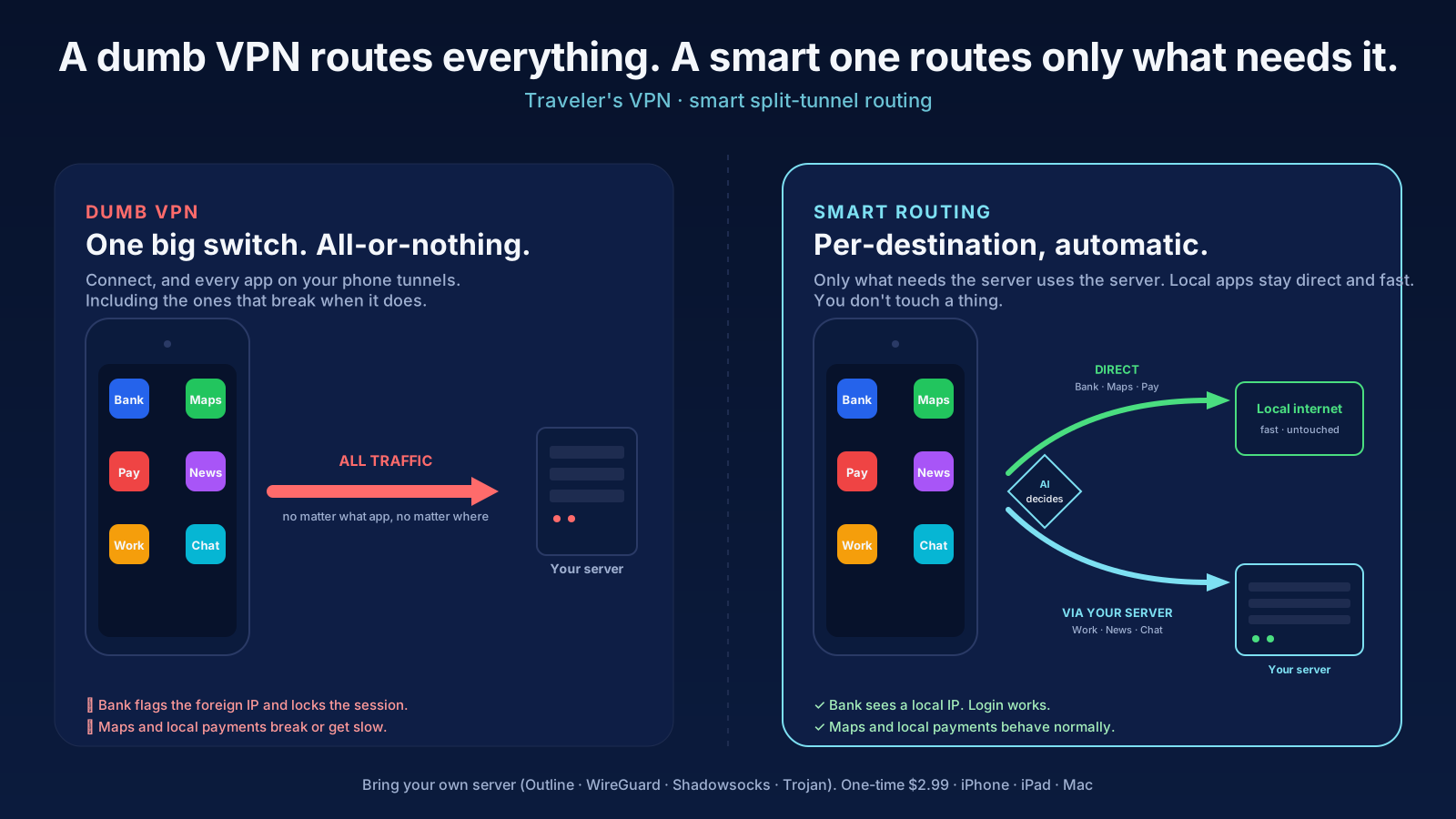
Most VPNs flip one big switch. Turn it on and your maps, payments, and taxis break. Turn it off and Instagram, WhatsApp, and YouTube vanish behind the firewall. Traveler's VPN doesn't make you choose.
WhatsApp, Instagram, Facebook, X, YouTube, and Gmail stay reachable, like you never left home.
Local maps, transit, ride-hailing, and delivery apps stay snappy and accurate.
Local payment apps (Alipay, WeChat Pay, PayPay, your country's wallet) keep working.
A regular VPN sends every byte across the planet. Traveler's VPN doesn't: local traffic stays local, so streaming, video calls, and quick lookups stay snappy.
Open the app. Pick where you're traveling. Connect. That's the whole flow, every time.
Going somewhere for a week? Grab a pass. Travel often? Let us run the server. Already have your own? Unlock it once. Every option includes the smart routing and covers iPhone, iPad, and Mac, with no account to make.
One trip, sorted. We run a private server for the week.

We run the server. You just tap connect, anywhere.
Already have a server? Unlock the app and connect it.
One App Store download, Family Sharing supported. Cancel a subscription anytime in Settings. Setup details.
Other VPNs are a single on/off switch: the moment you connect, everything routes through the VPN, which is what breaks your banking app, your local maps, and your local payments. Traveler's VPN keeps your local stuff working while you stay connected to home. You get the privacy and home connection without the broken-apps tax.
No. Pick a managed server (or a 7-day travel pass) and we set up a private server for you automatically, in the region you choose. Tap connect and go. If you'd rather run your own, the $2.99 bring-your-own-server unlock connects the app to any Outline, Shadowsocks, WireGuard, or Trojan server you control.
The 7-day travel pass ($9.99) is a one-off for a single trip: seven days of a managed server, no auto-renew. The managed server ($14.99/month, starting with a 3-day free trial) is for people who travel often, with a new region available anytime. Bring your own server ($2.99 once) is a one-time unlock for people who already run a server. All three include the smart routing and cover iPhone, iPad, and Mac.
Yes. That's the whole point. Your bank sees a normal connection from where you actually are, so it doesn't lock you out or trigger a fraud check.
Yes. Local apps can be up to 10× faster than on a VPN-only app, because local websites, maps, video calls, and streaming don't get rerouted around the world. Only the traffic that actually needs to come from home takes the longer path.
Yes. There's a native menu-bar Mac app, and your purchase covers iPhone, iPad, and Mac together. Buy or subscribe once and use it everywhere at no extra cost, with your settings synced across your Apple devices.
No. There's no signup, no email, and no password. Your purchases are tied to your Apple ID behind the scenes, so the app and your managed server just work across your devices. The managed server and travel pass are paid through the App Store; the bring-your-own option is a one-time purchase with nothing recurring.
Anytime. The managed subscription cancels like any other App Store subscription, in Settings → your name → Subscriptions. The travel pass never auto-renews, so there's nothing to cancel. The bring-your-own unlock is a one-time purchase.
Honest answers about what actually works abroad, and how we compare to the VPNs you've heard of.
What's blocked, what still works, and what to set up before you leave. All guides.
Honest comparisons, including what each one does better than us. All comparisons.